Decks
Flashcards with science-backed spaced repetition
Decks uses a proven SRS algorithm — the same one Anki users already trust — to show you cards right before you'd forget them. Real decks ready to study on day one.
How it works
Start from a curated deck or create your own
Japanese, Chinese, Spanish, and French vocabulary — ready on day one.
Study daily — the algorithm handles scheduling
No setup, no configuration. Just open the app and study what's due.
Rate each card by how well you remembered it
Again, Hard, Good, or Easy — simple ratings that drive the SRS schedule.
Cards you struggle with come back sooner
Cards you know well are pushed further out. Watch your retention improve over time.
Ready-to-study decks
Jump in without building anything first — or create unlimited decks and cards of your own, on any subject.
Why Decks
Science-backed SRS
Full Again/Hard/Good/Easy ratings drive a proven memorization algorithm.
Swipe to review
Drag gestures built for fast, one-handed review sessions.
Study offline
No connection needed once your decks are downloaded.
Retention stats
Day streaks and retention rate, so progress is visible.
Search, merge, reorder
Manage decks and cards without leaving the app.
See it in action
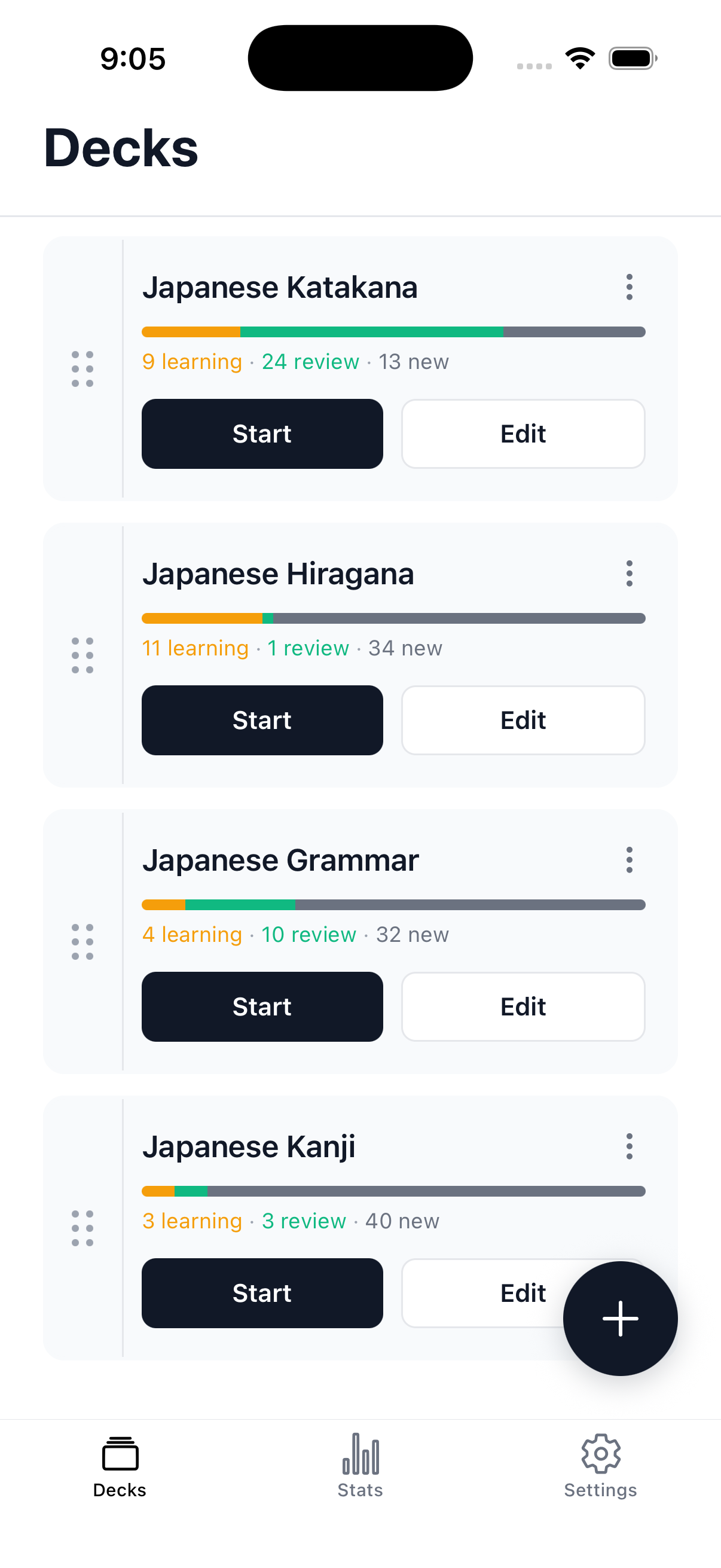
Your decks, at a glance
See exactly what's due today — learning, review, and new cards broken out per deck, with one tap to start.
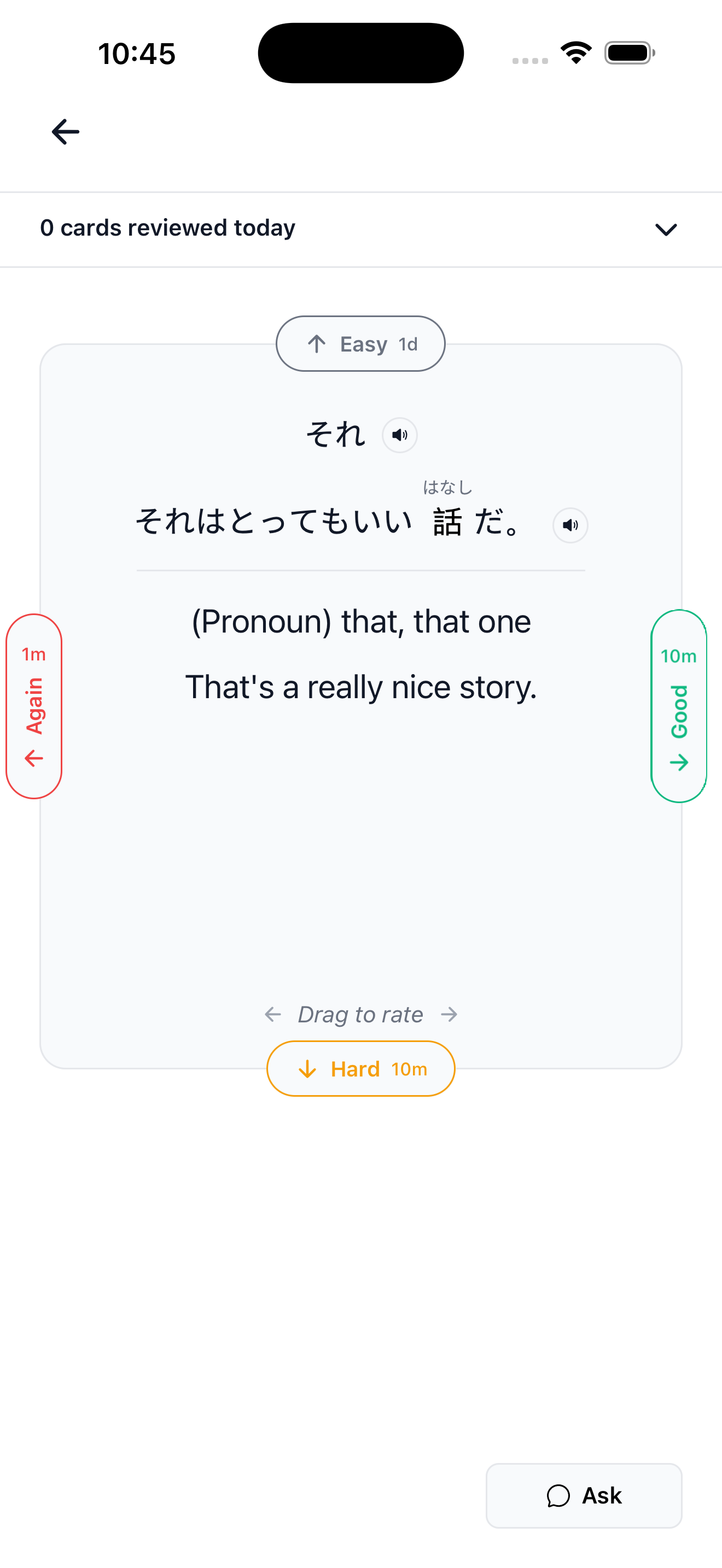
Full context, not just a word
Example sentences with furigana and native audio, or ask for a quick explanation when you're stuck. Drag to rate — Again, Hard, Good, or Easy — and the schedule adjusts automatically.
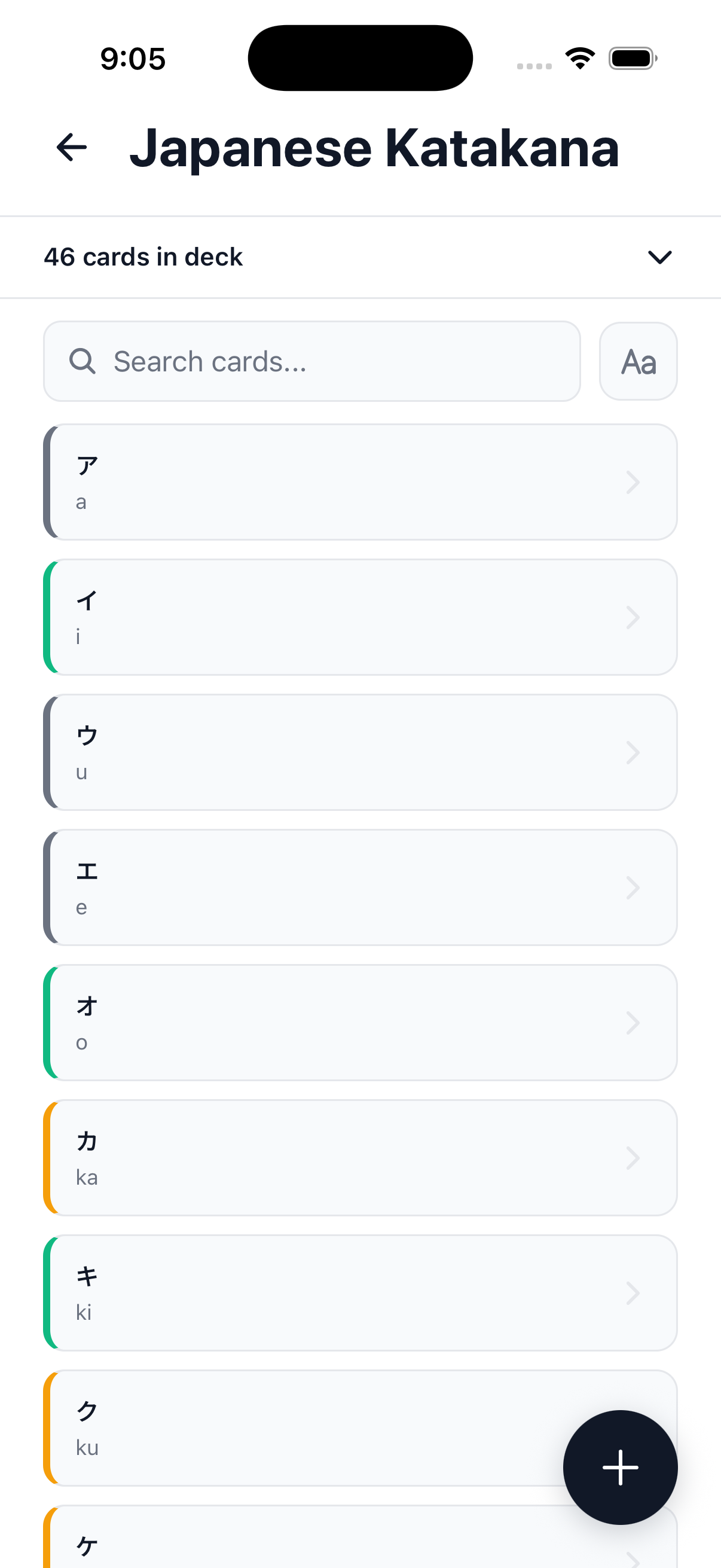
Search, edit, reorder
Every card in a deck, searchable and color-coded by state. Jump to any card and edit it directly — nothing is locked away.

Build your own decks
Name it and go — unlimited decks, any subject, right alongside the curated ones.

Related cards, added in one tap
While you're creating a card, related suggestions show up automatically — add them without leaving the screen.
Frequently asked questions
What is spaced repetition?
Spaced repetition is a study technique that schedules reviews right before you're likely to forget something. Cards you know well are shown less often; cards you struggle with come back sooner. It's the same underlying method Anki popularized, and the one Decks uses.
Is Decks free?
Yes — you get 20 new cards a day by default and 50 reviews a day on the free plan, enough for most study routines. Premium removes the review limit entirely, for heavier study loads.
Do I need an account to use Decks?
No. Decks works immediately with anonymous login — you can start studying without creating an account, and add one later from Settings if you want to sync across devices.
Can I make my own flashcards, not just use the curated decks?
Yes — unlimited decks and cards on any subject, alongside the curated language decks.
What languages does Decks support?
Decks ships curated decks for Japanese, Chinese, Spanish, and French, covering everything from writing systems (hiragana, katakana) to grammar (HSK, Tae Kim's guide) to vocabulary and full sentences. You can also build decks for any other language or subject.